
Create
Create is a vibe-coding experience that allows you to build full-stack applications end-to-end using the AI model of your choice. You can select from all top-tier LLMs, available under CreateOS's unified credit system, eliminating the need to manage multiple model subscriptions independently. This enables rapid experimentation, development, and iteration from a single workspace.
What Can You Create?
You can build any type of frontend or backend application using your chosen LLM. While the generated code is production-oriented, we recommend reviewing the output before deployment, as AI-generated code may occasionally require adjustments.
Example Use Cases
These are just a few examples—feel free to explore and build creatively without limitations:
1. Websites
- Marketing websites
- Landing pages
- Product websites
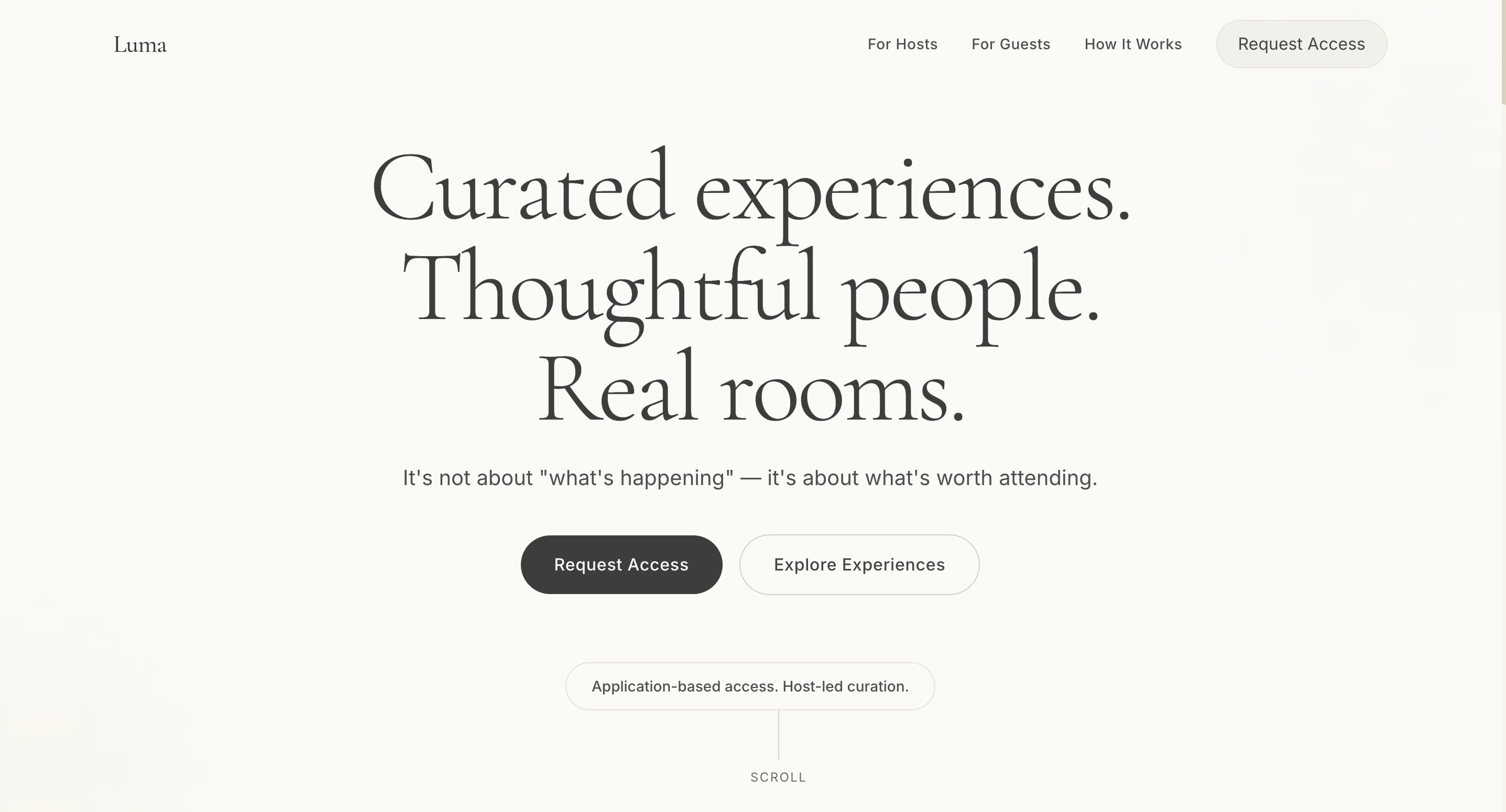
Design a calm, premium landing page for Luma, a curated, application-based IRL event platform. The aesthetic should feel like a private members club: minimal, editorial, quiet, and intentional. Use large typography, muted colors, generous whitespace, and subtle depth.
2. Games
- Browser-based games
- Interactive demos
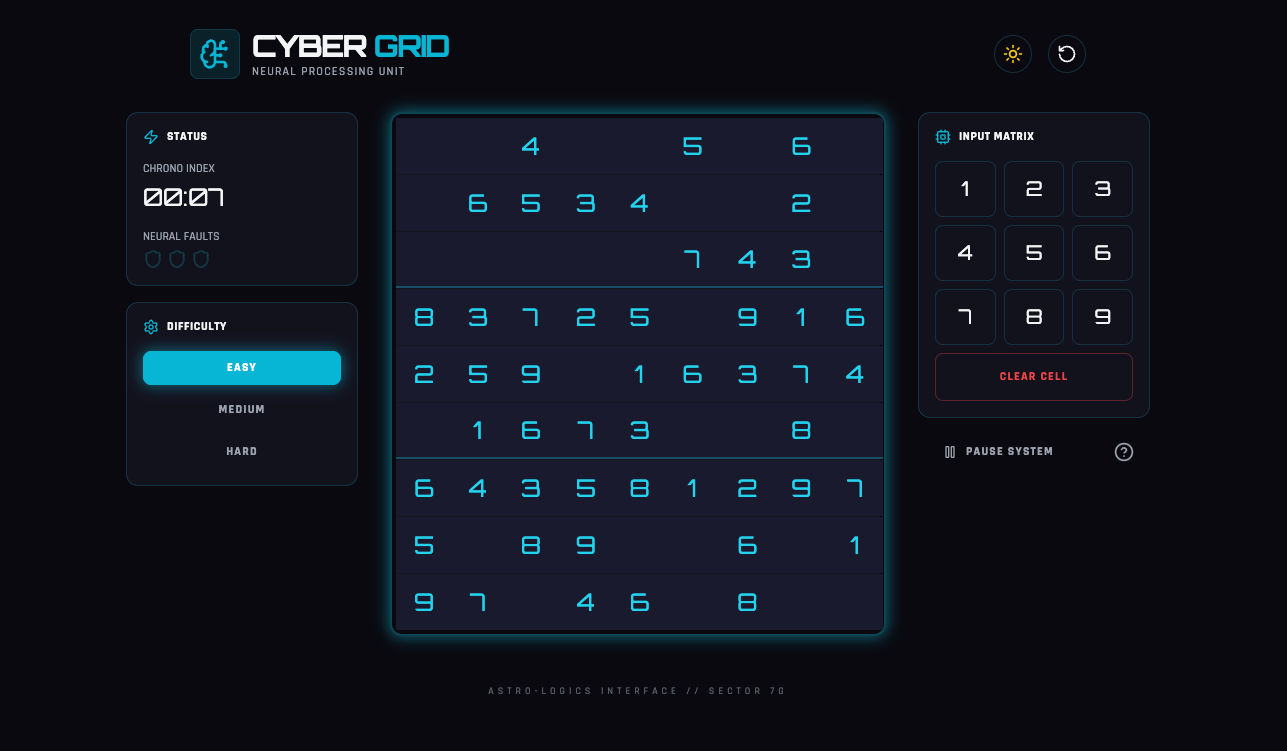
Build me a sudoku like gaming app using vanilla js and make it a sci-fi theme with a light and dark theme
3. Productivity Applications
- Task managers
- URL shorteners
- Password strength detectors
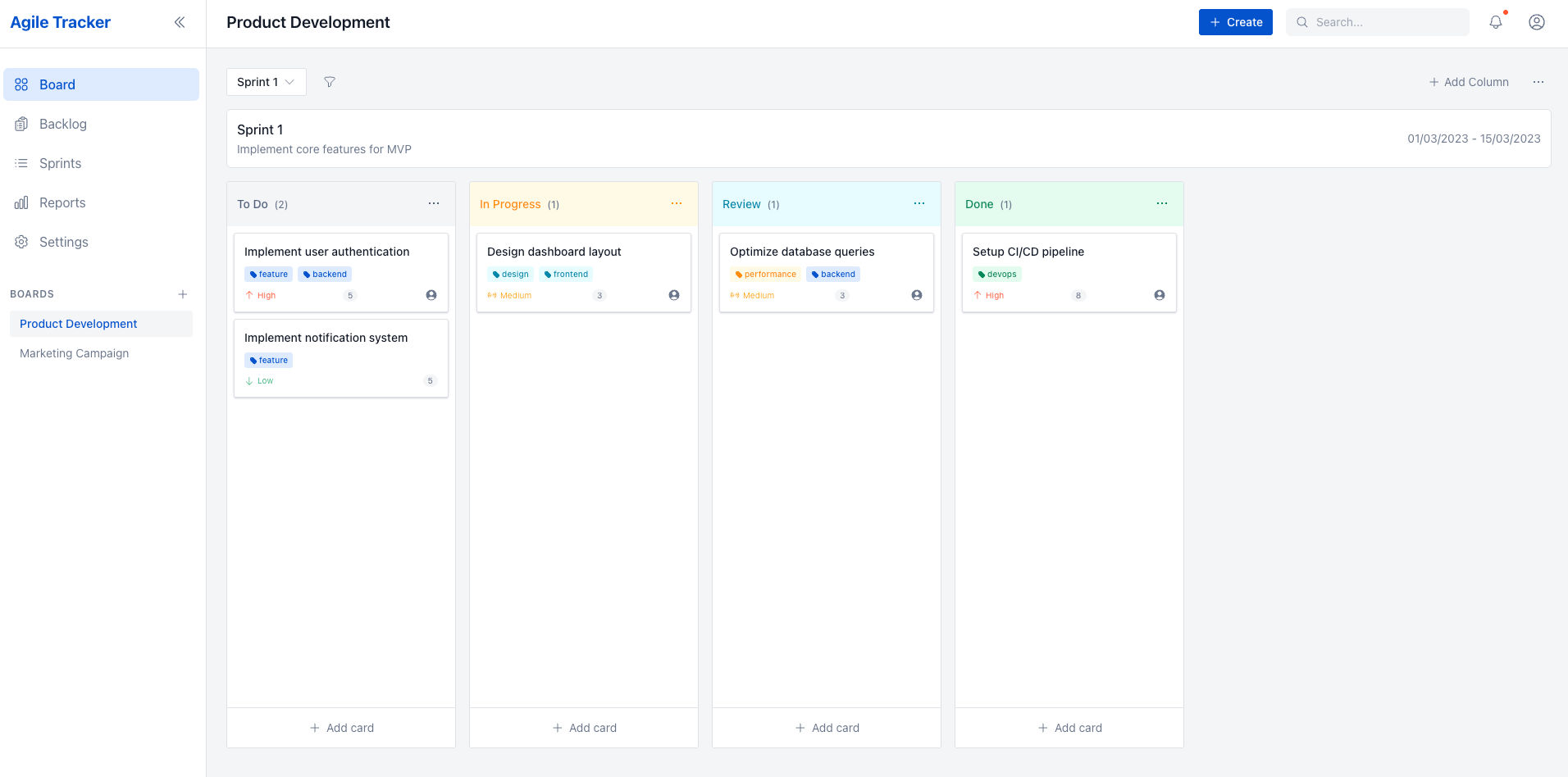
Create a ticketing/project management system like Jira. I want the UI to be neat and professional but at the same time modern; like how atlassian does it. I need to use Kanban and it even has to be agile/scrum friendly. I even need functionalities to add story points
Preview Your Application
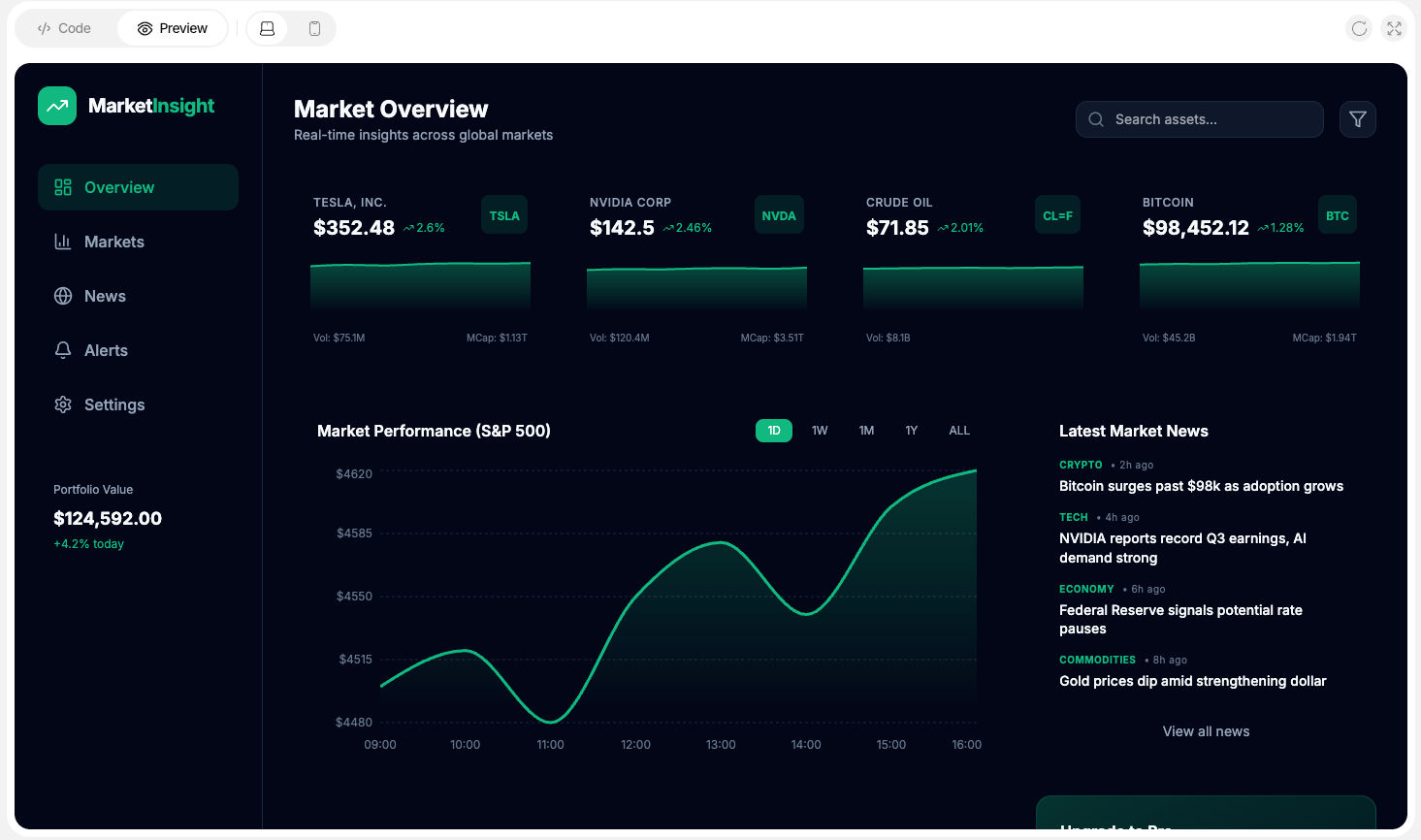
Once code generation is complete, you can preview your application directly within the CreateOS UI.
Preview Features:
- Desktop and mobile views
- Live refresh
- Full-screen preview mode
This allows you to validate UI, behavior, and responsiveness before deployment.
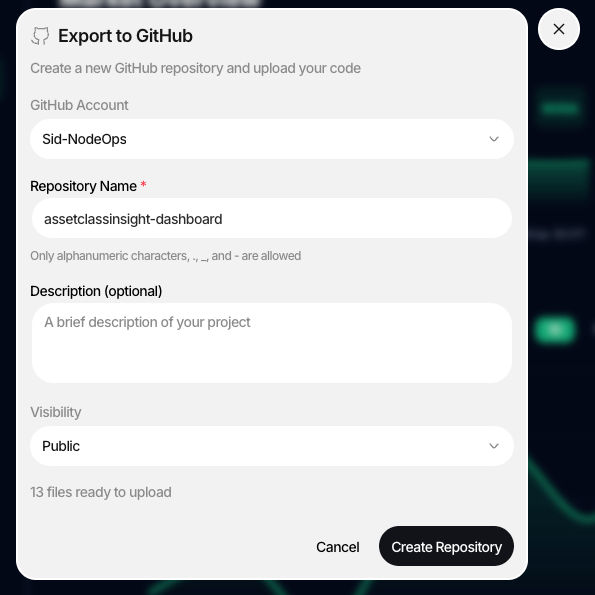
Upload your project to GitHub
After creating a project, you can push the generated code to GitHub in just a few clicks.
Available Options:
- Direct GitHub push from CreateOS
- Manual download and upload to GitHub
This flexibility allows you to integrate seamlessly with your existing workflows.
Deploy Your Vibe-Coded Application
Once your project is generated in the Create Flow, you can seamlessly move it into production using CreateOS's integrated deployment pipeline. By linking your repository to GitHub, you can deploy your application in minutes, manage continuous integration and delivery, and iterate rapidly using built-in AI-assisted tooling.
Deployment Process
Once your project is created:
- Link the project via GitHub
- Deploy the application within minutes
- Manage CI/CD through the Deploy Flow
After deployment:
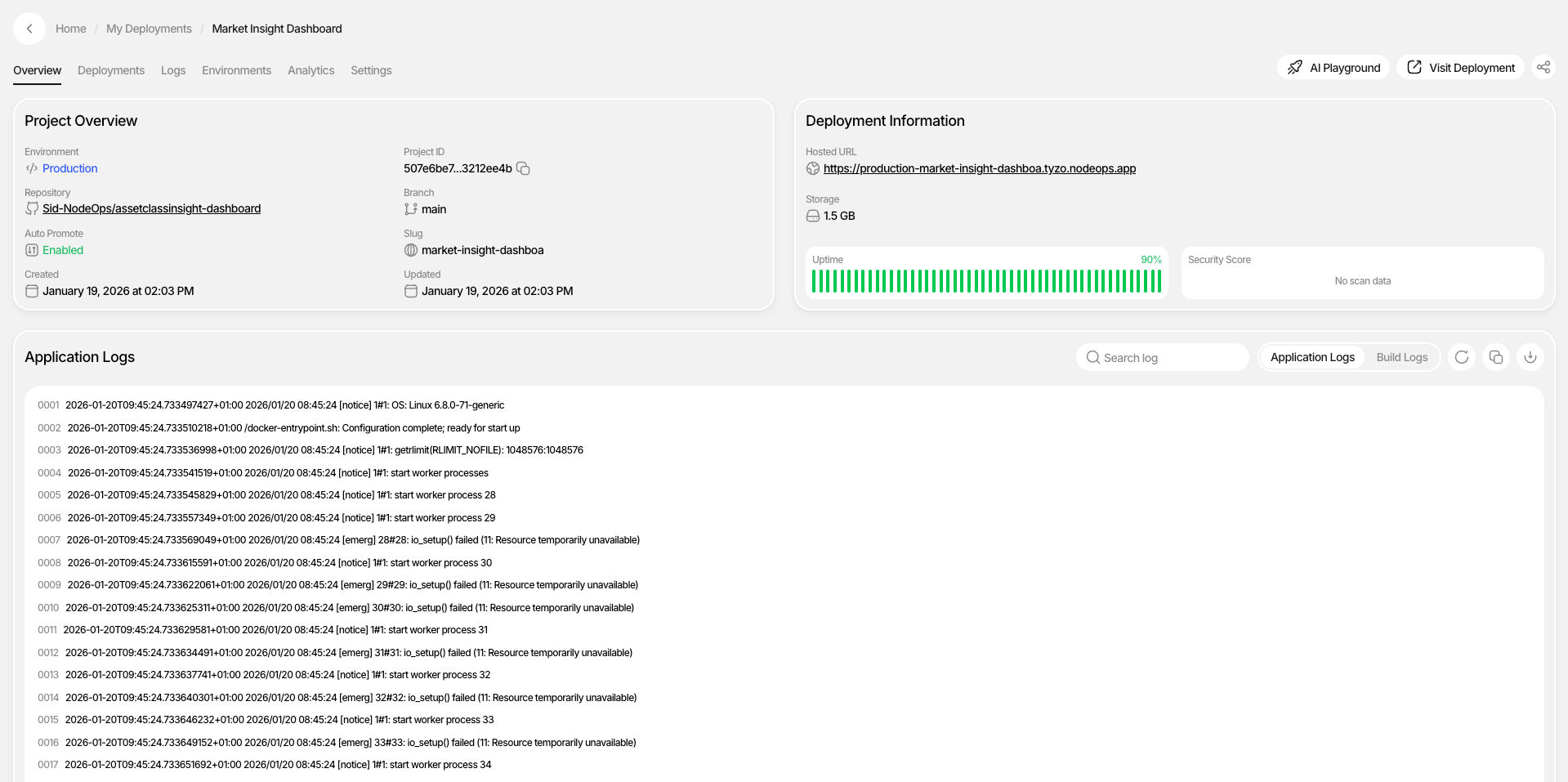
- The project appears in the My Apps section
- Manage builds, deployments, and updates from one dashboard
- Use the AI Playground to modify code without cloning locally
- Any commit automatically reflects in the deployed application
Create MCP Integration
CreateOS supports integration with external IDEs through the CreateOS MCP Server, allowing you to connect the Deploy Flow directly to your preferred development environment.
Supported IDEs:
- VS Code View Docs →
- Cursor View Docs →
- Claude Code View Docs →
- Gemini Code Assist View Docs →
- Other MCP-compatible tools
The complete list of supported integrations is available in the MCP Integration Documentation.
Setup: To connect, generate your API key from the Profile section and configure it in your IDE.
Multiple Chat Sessions
CreateOS allows you to maintain multiple independent chat sessions.
Key Capabilities:
- Each session represents a separate project
- Search and access previously created applications
- Resume work from where you left off
This enables parallel experimentation and long-running projects without context loss.
Delete Session
You can delete any chat session if it is no longer needed.
How to Delete:
- Hover over the project in the chat list
- Click the three-dot menu
- Select Delete
⚠️ Important: Once a session is deleted, it cannot be recovered.
Token Usage & Credits
CreateOS uses a unified credit system to manage token usage across all supported AI models. Credits are calculated based on the model selected and the number of input and output tokens processed during each request.
How Credits Are Consumed
Credits are consumed based on:
- Model type (e.g., frontier models vs. lightweight models)
- Input tokens (your prompts, context, and files)
- Output tokens (generated code, responses, and explanations)
Each model has its own underlying token cost, which is automatically translated into CreateOS credits. This ensures consistent and predictable usage across all supported models.
Token Optimization
CreateOS optimizes token usage across models by intelligently managing context size and request structure. This ensures you get high-quality outputs while minimizing unnecessary token consumption. Model-specific token limits are handled automatically, allowing you to focus on building without worrying about constraints or overuse.