
ElevenLabs Integration Guide
Overview
Integrate CreateOS with ElevenLabs using the MCP (Model Context Protocol) to enable AI-powered deployment workflows directly from your ElevenLabs workspace.
Prerequisites
- Active ElevenLabs account
- CreateOS account with API key access
- Access to ElevenLabs Integration settings
Setup Instructions
Step 1: Access ElevenLabs Integrations
- Log in to your ElevenLabs account
- Click on "Integration" in the left sidebar, or click here to go directly to the integrations page
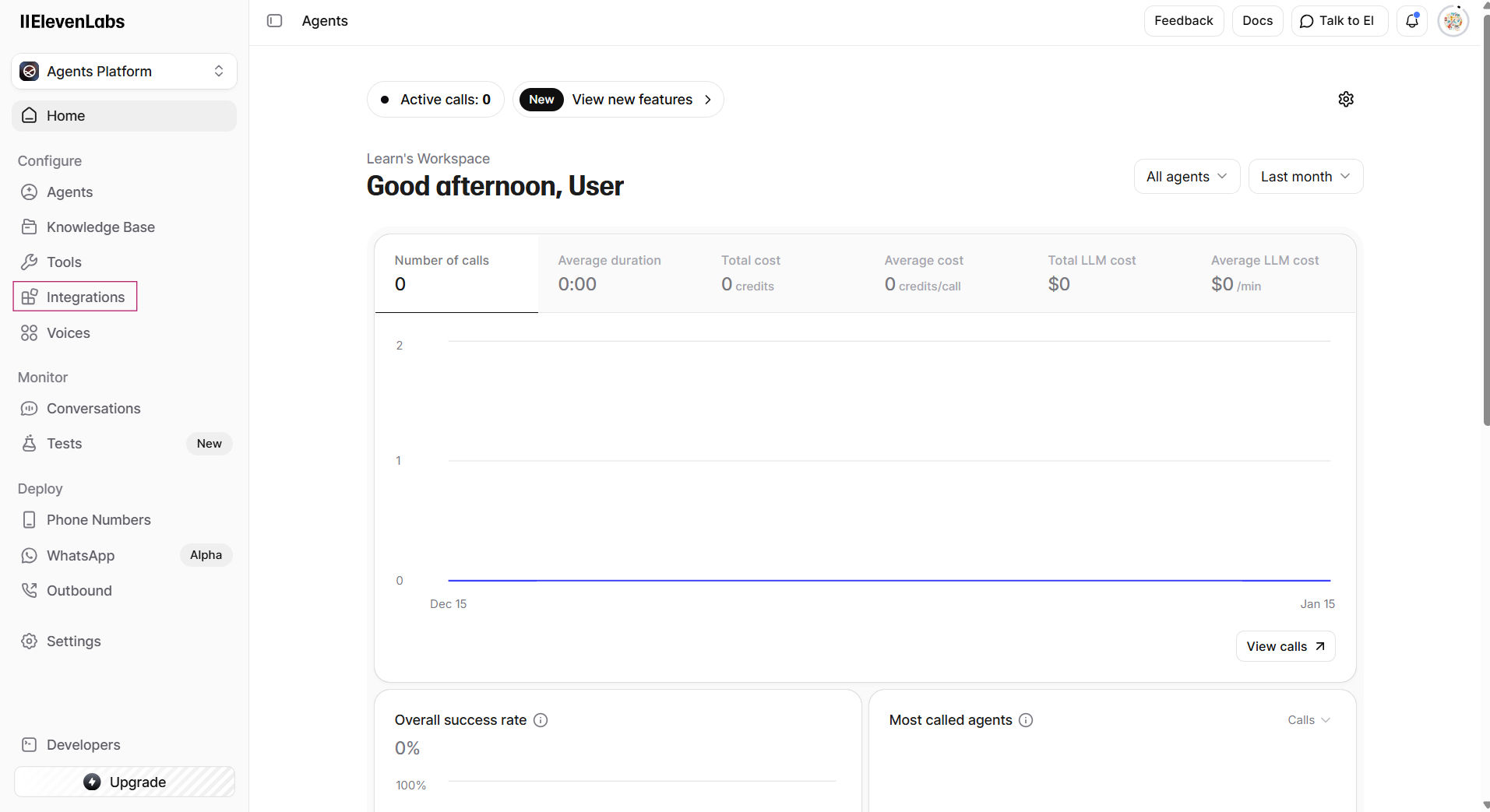
Step 2: Add New Integration
- Click "Add Integration"
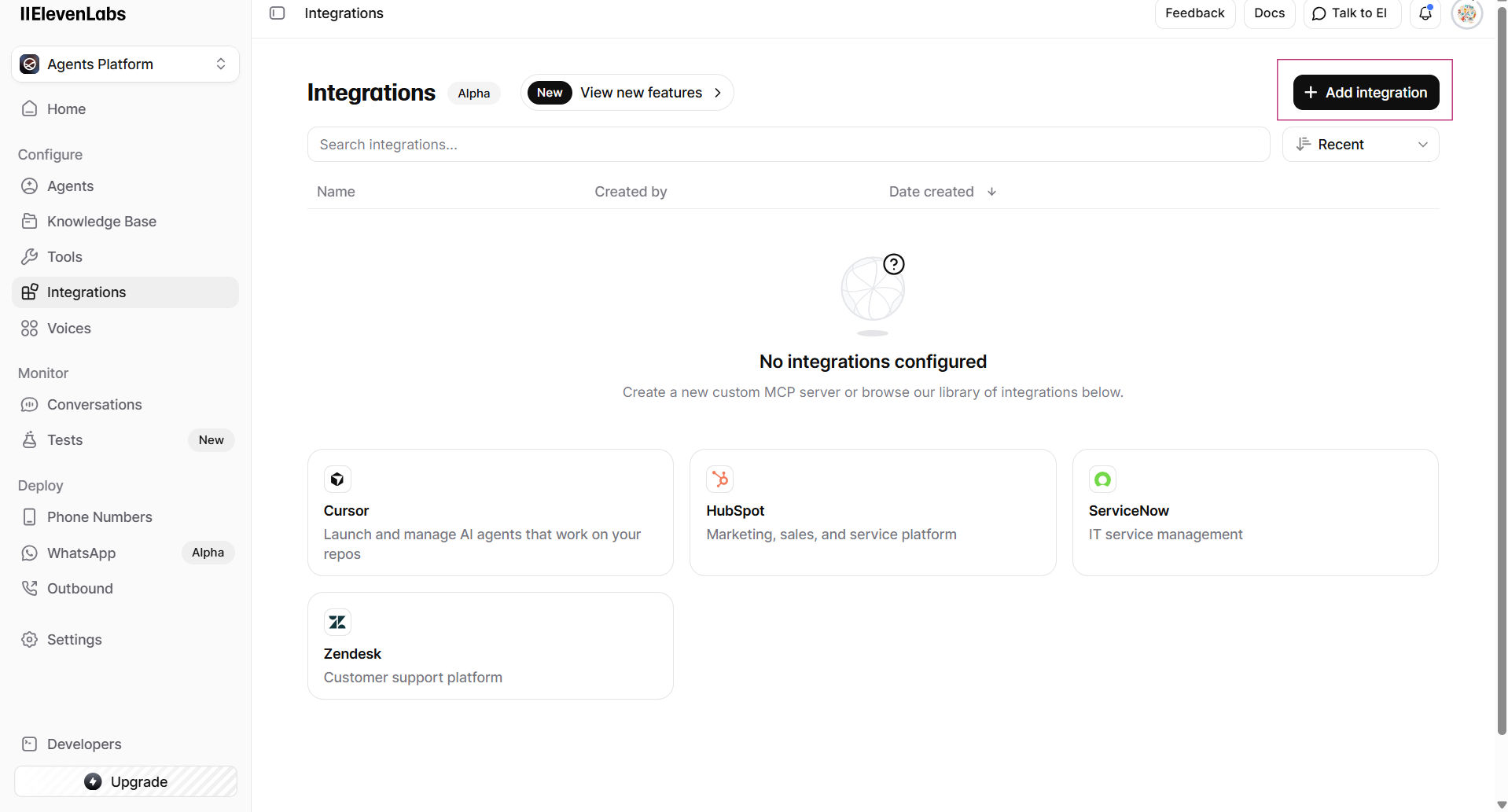
- Select "Custom MCP Server"
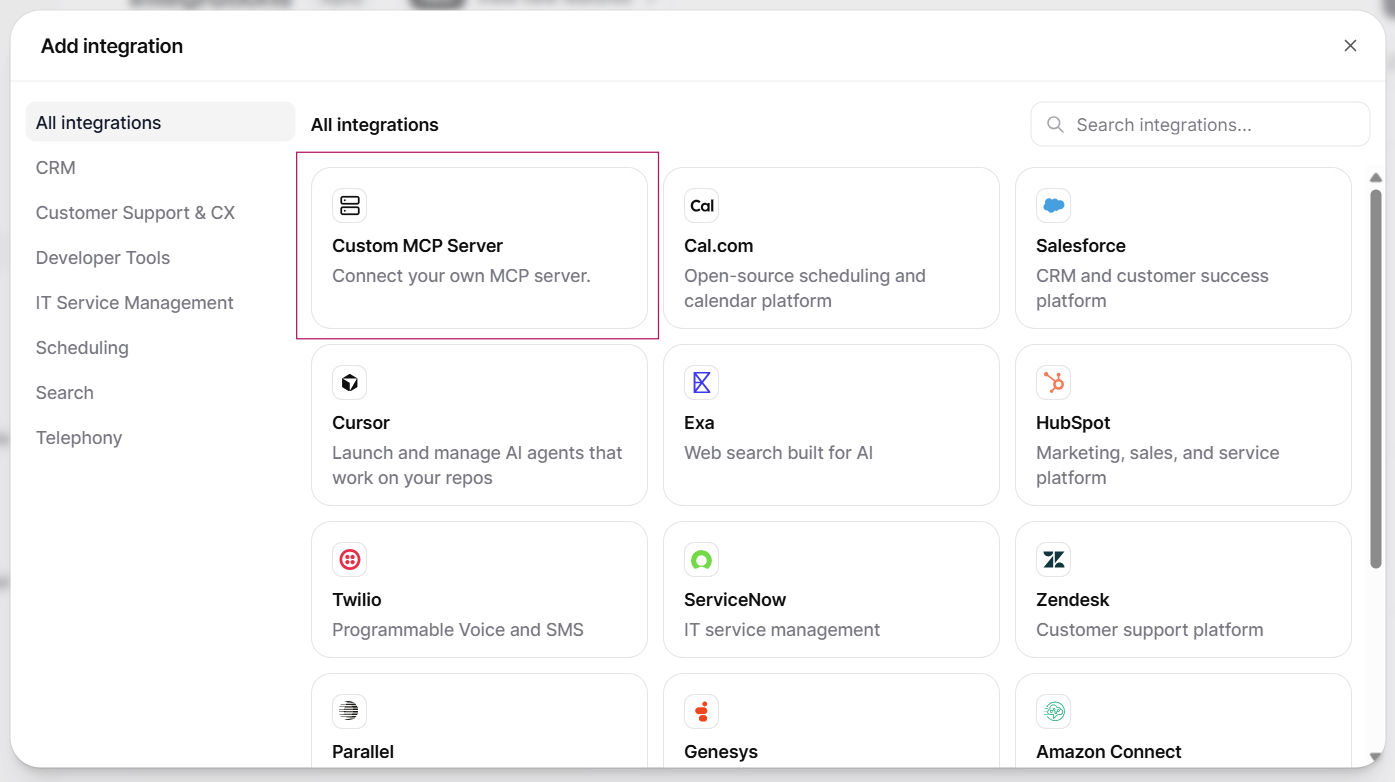
Step 3: Configure Basic Information
Enter the following details:
| Field | Value |
|---|---|
| Name | CreateOS (or custom name of your choice) |
| Description | Custom description of your choice |
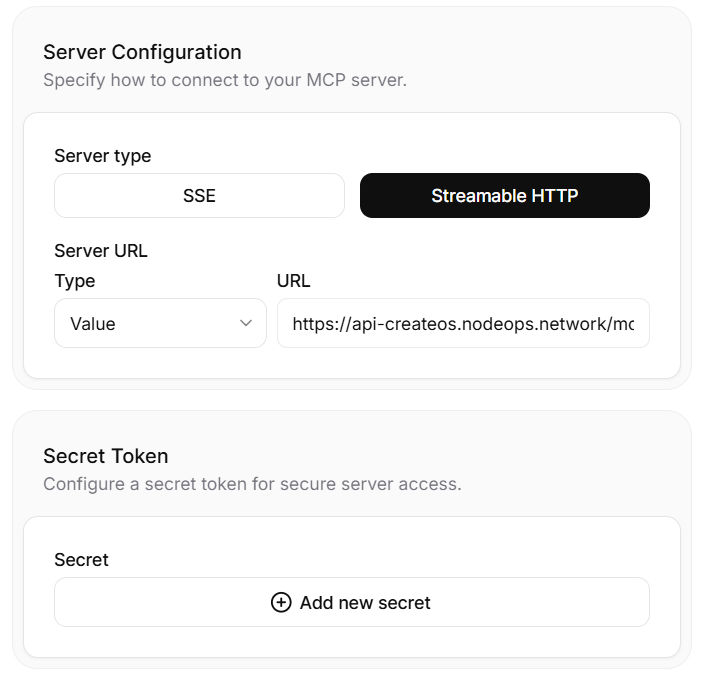
Step 4: Configure Server Settings
Enter the following server configuration:
| Field | Value |
|---|---|
| Server type | Streamable HTTP |
| Type | Value |
| URL | https://api-createos.nodeops.network/mcp |
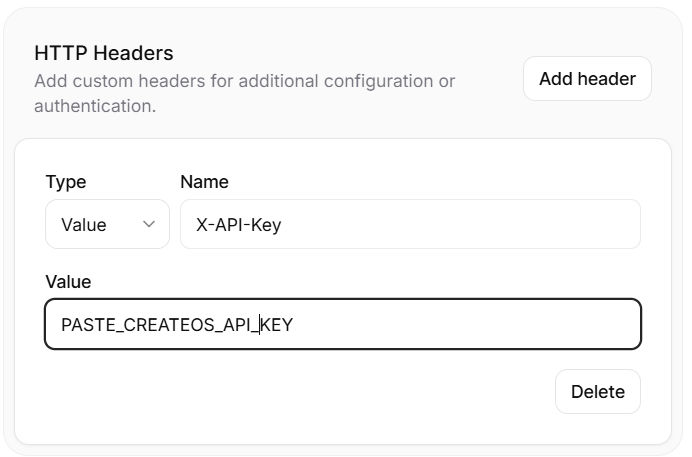
Step 5: Configure HTTP Headers
Add the authentication header:
| Field | Value |
|---|---|
| Type | Value |
| Name | X-API-Key |
| Value | Your CreateOS API Key |
Getting Your API Key:
- Log in to CreateOS
- Navigate to Profile Settings
- Copy your API key from the API Key section
Watch Tutorial →
Security Note: Keep your API key confidential and never share it publicly.
Step 6: Complete Setup
- Check the box for "I trust this server"
- Click "Add Server"

- The CreateOS MCP server will now be available in your ElevenLabs integrations
Troubleshooting
If the integration fails, confirm:
- Server URL is entered correctly without trailing spaces
- API key is valid and active
- "I trust this server" checkbox is checked
Next Steps
Once connected, you can:
- Use CreateOS functionality within ElevenLabs workflows
- Automate deployment processes through ElevenLabs
- Access CreateOS infrastructure from your ElevenLabs projects