
Template Marketplace
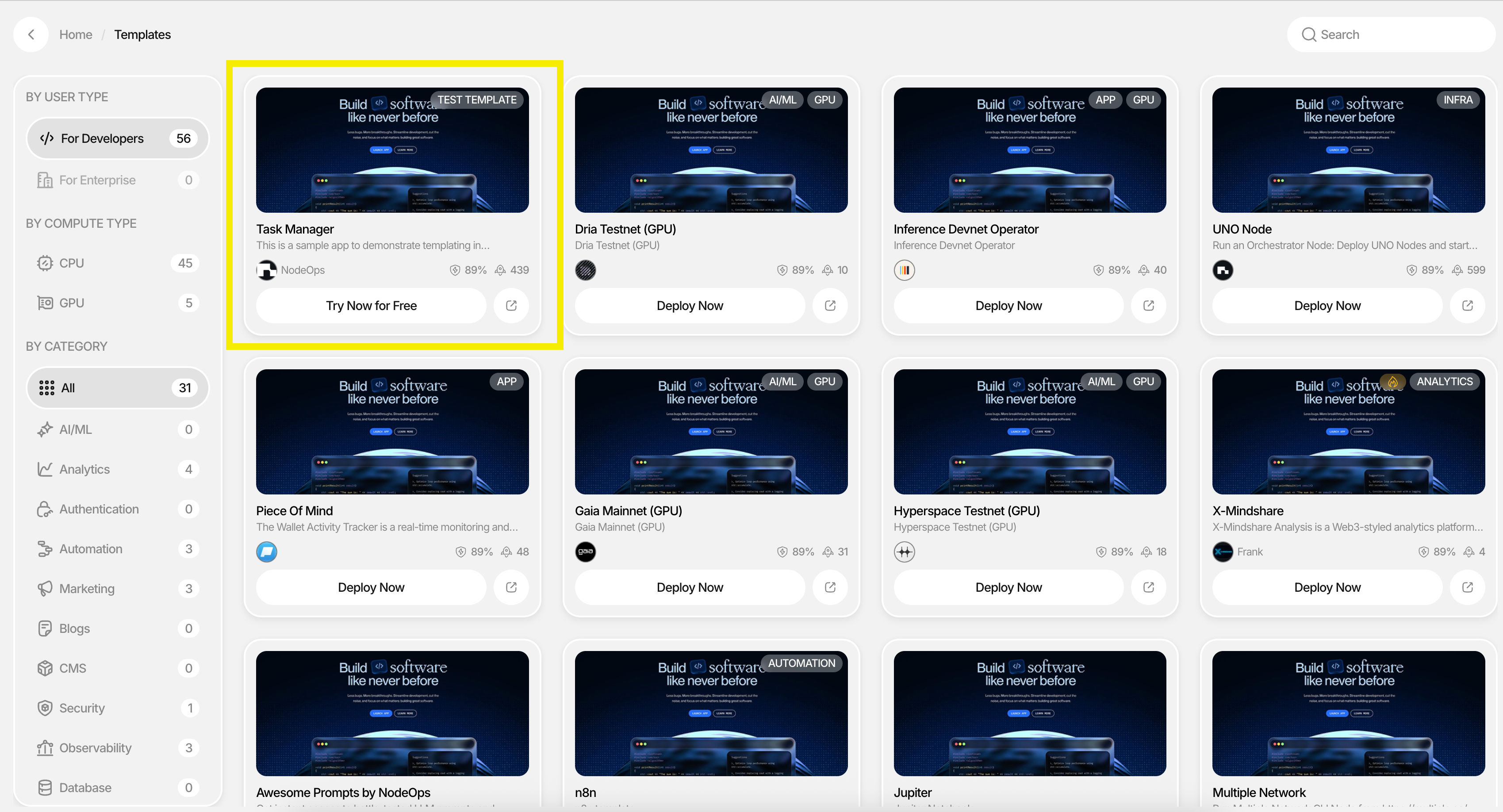
The CreateOS Template Marketplace is a comprehensive ecosystem where developers and enterprises can discover, deploy, and monetize production-ready templates. Browse through a curated collection of templates organized by user type (Developers, Enterprises), compute requirements (CPU, GPU), and specialized categories including AI/ML, Analytics, Authentication, Automation, Marketing, Blogs, CMS, Security, Observability, Database, Blockchain, Computing, and more.
Deploying Templates
Quick Deployment Process
- Browse and Select: Explore the marketplace to find a template that matches your requirements
- Deploy Now: Click the "Deploy Now" button on your chosen template
- GitHub Integration: Connect your GitHub account to automatically fork the project to your repository
- Credit Transaction: Complete the deployment using the credits required (pricing set by template contributors)
- Access Your Deployment: View and manage your deployed project in the "My Deployments" dashboard
Managing Your Template Deployments
Once deployed, your template becomes a fully manageable project within your "My Deployments" folder. Each project card provides access to:
- Complete CI/CD pipeline management
- Build customization and extension capabilities
- Full development environment access
- Deployment configuration controls
AI Playground Integration
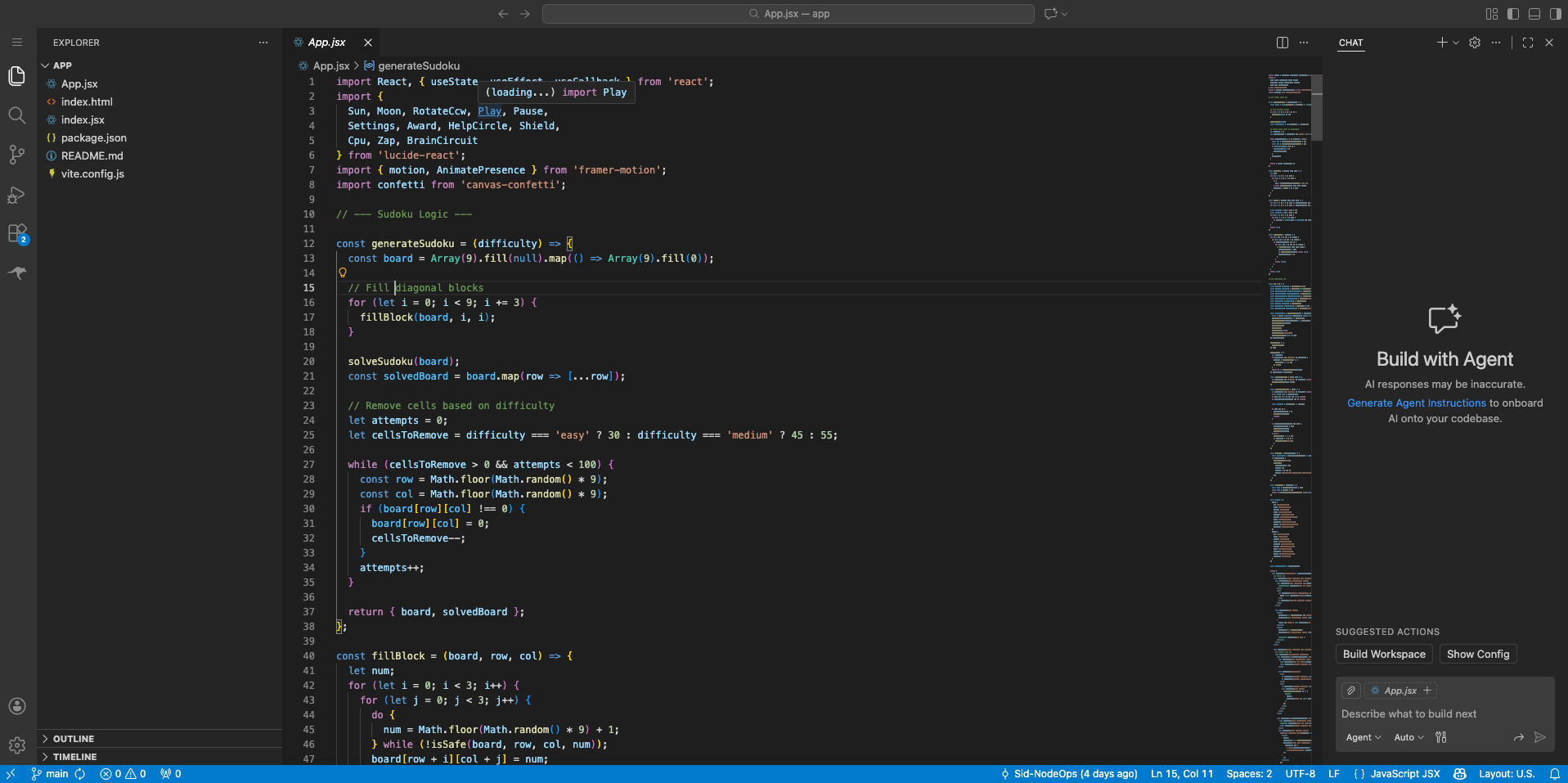
Transform your deployed templates into interactive development environments with seamless AI Playground integration.
Creating an AI Playground
- Navigate to your deployed project within "My Deployments"
- Click the "Create AI Playground" button in the top-right corner
- Your repository and codebase will be automatically configured
- Begin development immediately with zero setup time
Continuous Integration
The AI Playground maintains full CI/CD automation—every commit automatically triggers your deployment pipeline, ensuring your changes are tested and deployed seamlessly.
Template Contribution
Share your expertise and monetize your work by listing your projects as templates on the CreateOS marketplace.
Important Requirements:
- Only GitHub-based projects are eligible for template contribution
- Your complete codebase will be shared with purchasing users
- If you prefer not to share your source code, consider listing your project as an Application on the CreateOS App Store instead
Submission Process
Approval Workflow
Template Creation → Submit Template → Template Review → Approval → Marketplace Listing
Rejection and Resubmission
Template Creation → Submit Template → Template Review → Rejected →
Review Feedback → Implement Improvements → Resubmit Template
Submission Requirements
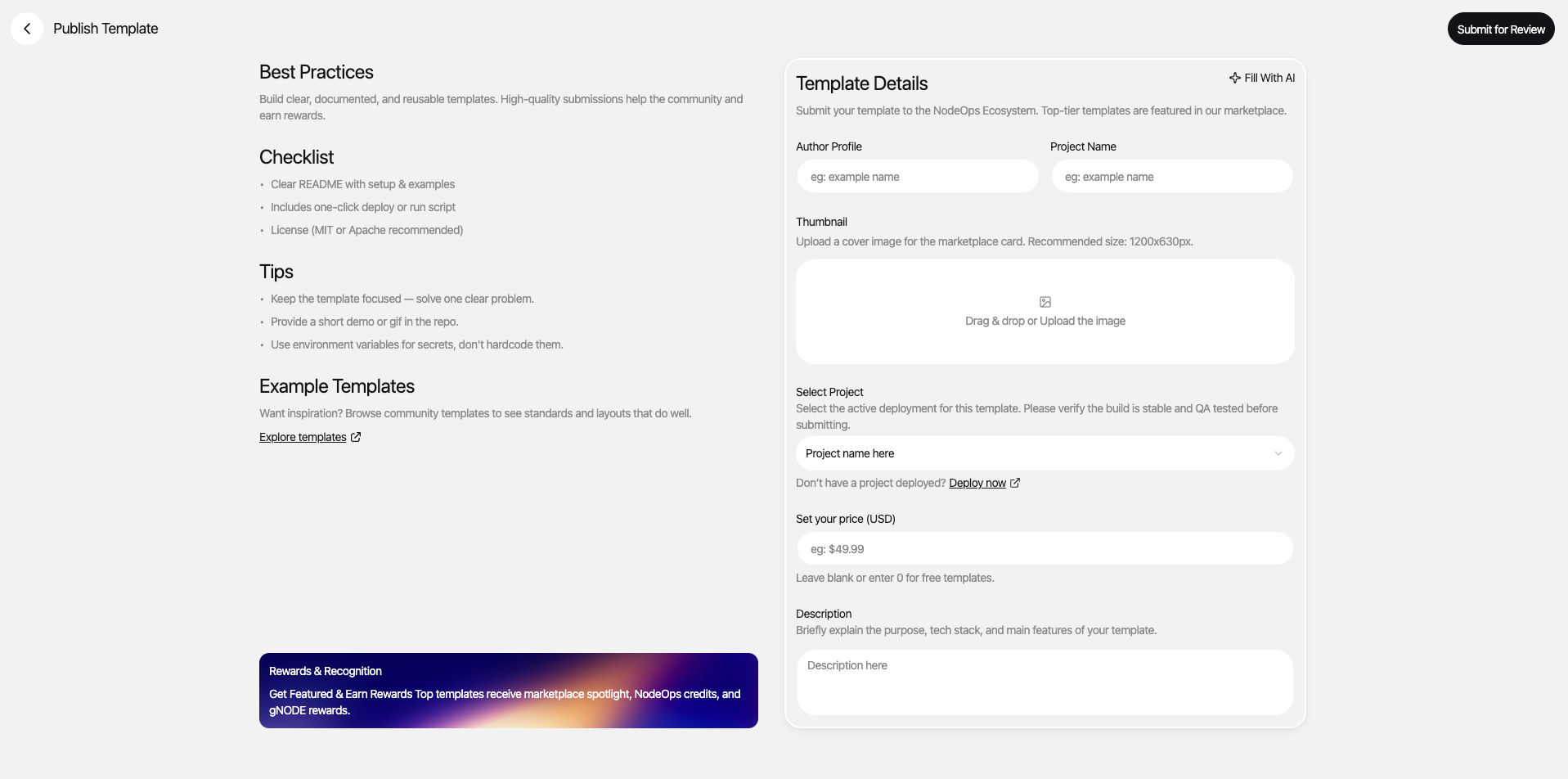
Provide the following information to submit your template:
- Name: Clear, descriptive template name
- Thumbnail: High-quality preview image or screenshot
- Video Tutorial: Walkthrough demonstrating template functionality
- Description: Comprehensive overview of features and capabilities
- Use Case: Target scenarios and problem-solving applications
- Category: Appropriate marketplace category
- GitHub Repository: Complete source code repository
- Pricing: Credit cost for template deployment
Review Process
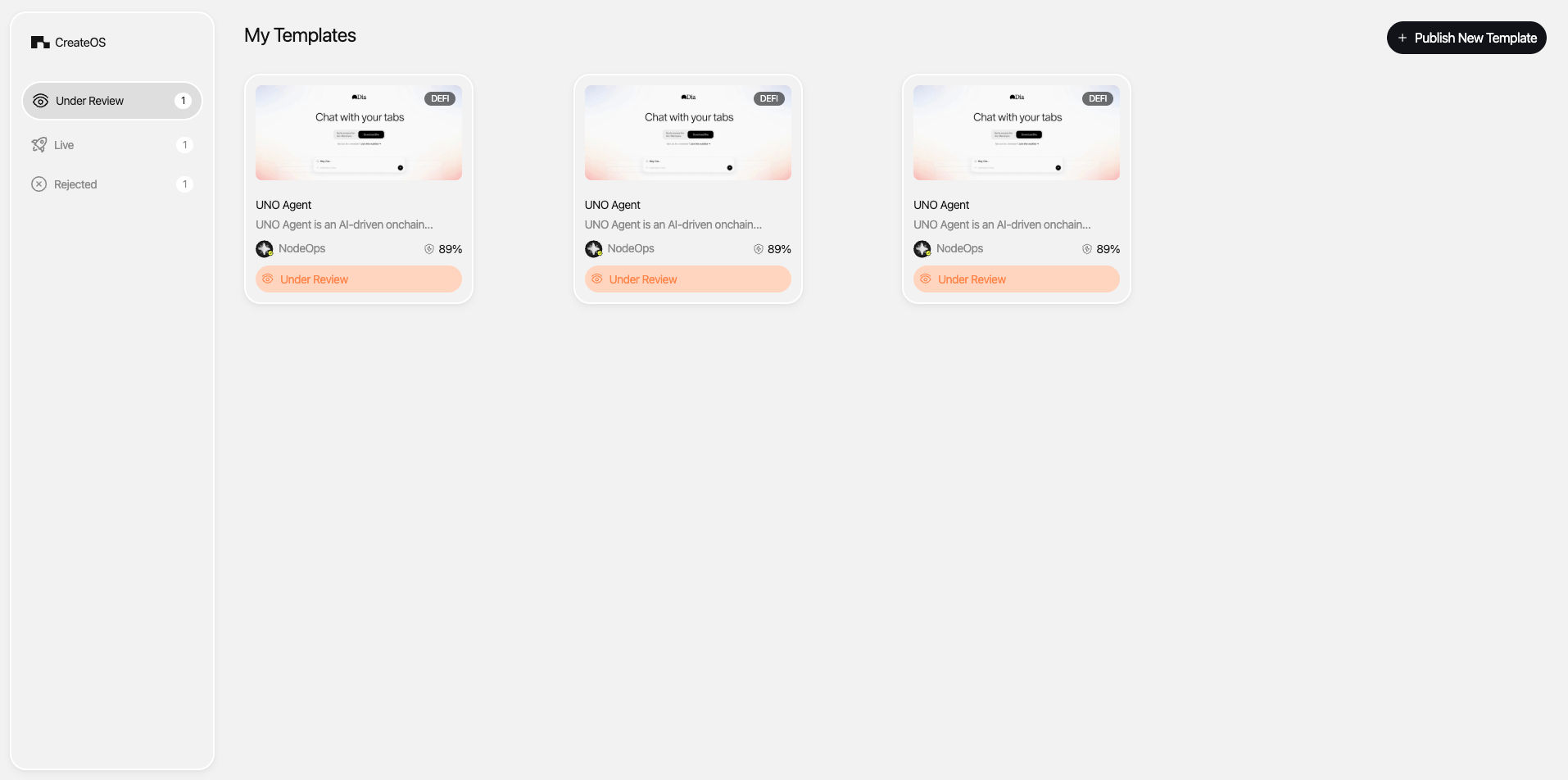
After submission, the NodeOps team conducts a comprehensive review of your template.
If Approved: Your template is immediately listed on the marketplace and available for purchase.
If Rejected: You'll receive detailed feedback with actionable improvement points. Make the necessary changes and resubmit for review.
Credit Policy: Template submissions require credits. If your submission is rejected, credits are not refunded; however, you can resubmit improvements for the same template without consuming additional credits.
Updating Published Templates
Contributors can update their published templates at any time to add features, fix issues, or improve documentation.
Update Process:
- Submit your updated template through the standard review process
- Users who have deployed your template receive automatic notifications
- Changes are reflected in the marketplace listing upon approval
Credit Allocation:
- First 3 updates: Free of charge
- Subsequent updates: Credit consumption applies per update
Security Scanning
Enhance your template's credibility and trustworthiness with professional security scanning.
Features:
- Per-project credit-based scanning
- Unlimited security scans available
- Security score displayed alongside your template listing
- Improved visibility and marketplace positioning
A strong security score builds trust with potential users and differentiates your template in a competitive marketplace.
Boosting Template Visibility
Maximize your template's reach with targeted visibility boosts using credit-based marketing plans.
Benefits:
- Enhanced marketplace positioning
- Increased discoverability in search and browse
- Featured placement opportunities
- Targeted promotion to relevant user segments
Select from flexible credit plans designed to match your marketing goals and budget, ensuring your template reaches the right audience at the right time.
Application Store
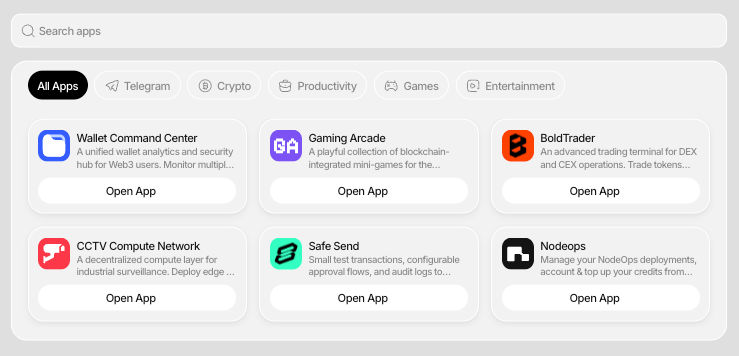
The CreateOS App Store offers a curated collection of ready-to-use applications across diverse categories. Unlike templates, applications are fully functional solutions that can be deployed instantly.
Deploying Applications
Deployment Process:
- Visit the App Store and browse available applications
- Select the application that meets your requirements
- Complete payment directly through the application (pricing set by contributors)
- Access and manage your deployed applications in the "My Apps" section
No Credits Required: Application deployments use in-app payment methods determined by individual contributors, providing flexible pricing options.
Application Categories
Discover applications tailored to every need:
- Productivity: Tools to enhance workflow efficiency and collaboration
- Games: Interactive entertainment and gaming experiences
- Entertainment: Media, content, and creative applications
- Crypto: Blockchain, DeFi, and cryptocurrency solutions
- And Many More: Continuously expanding categories to serve every use case
Listing Applications on the App Store
Contributor Requirements
Contributors can monetize fully functional applications on the CreateOS App Store while maintaining complete code ownership and intellectual property protection.
Key Advantages:
- IP Protection: Unlike template contributions, you retain full ownership and control of your source code
- Revenue Opportunities: Set your own pricing and payment models
- Platform Deployment: Applications must be deployed and functional on CreateOS
- Professional Review: Same rigorous quality standards as the Template Marketplace
Application Submission Process
Publishing your application follows the same proven workflow as template submissions:
Application Development → Submit Application → Review Process →
Approval → App Store Listing
Credit Requirement: Credits are consumed upon application submission to the App Store.
Submission Requirements
Provide comprehensive information to showcase your application effectively:
- Name: Clear, memorable application name
- Image: High-quality preview image, logo, or screenshot
- Video Tutorial: Demonstration of key features and functionality
- Description: Detailed overview of capabilities, features, and benefits
- Use Case: Target audience and problem-solving applications
- Category: Appropriate App Store category
Review and Approval
The NodeOps team conducts thorough reviews to ensure all applications meet quality, functionality, and security standards. Upon approval, your application becomes immediately available in the App Store, accessible to the entire CreateOS user community.