
CreateOS MCP Integration with Antigravity
Overview
Integrate CreateOS with Antigravity using the MCP (Model Context Protocol) to enable AI-powered deployment workflows directly from the Antigravity agent interface.
Prerequisites
- Antigravity application installed
- CreateOS account with API key access
Setup Instructions
Step 1: Access MCP Server Settings
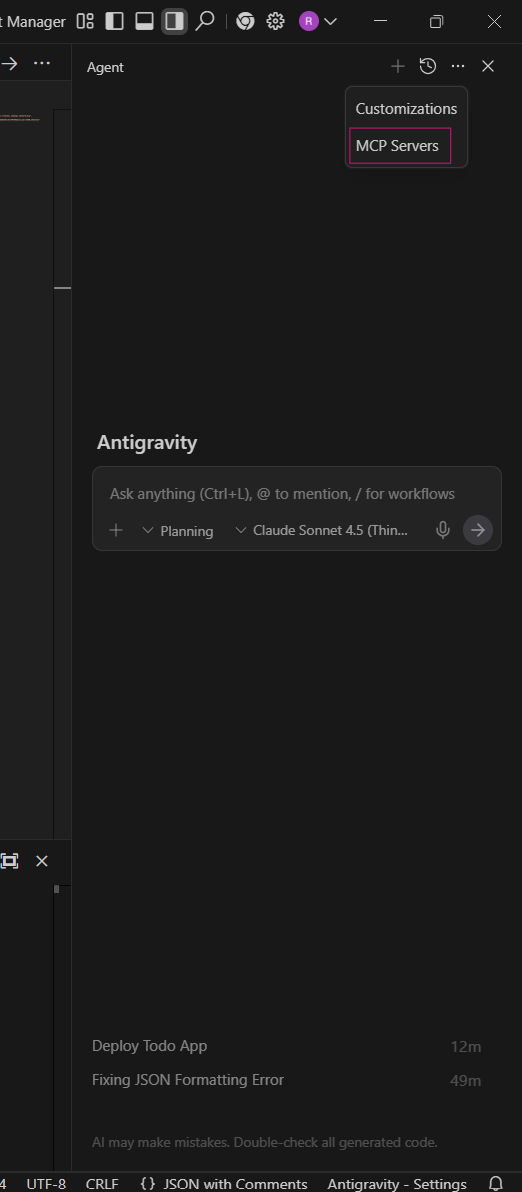
- Open the Agent chat window in Antigravity
- Click on the "…" menu in the top right corner
- Select MCP Servers from the dropdown list
Step 2: Open Configuration File
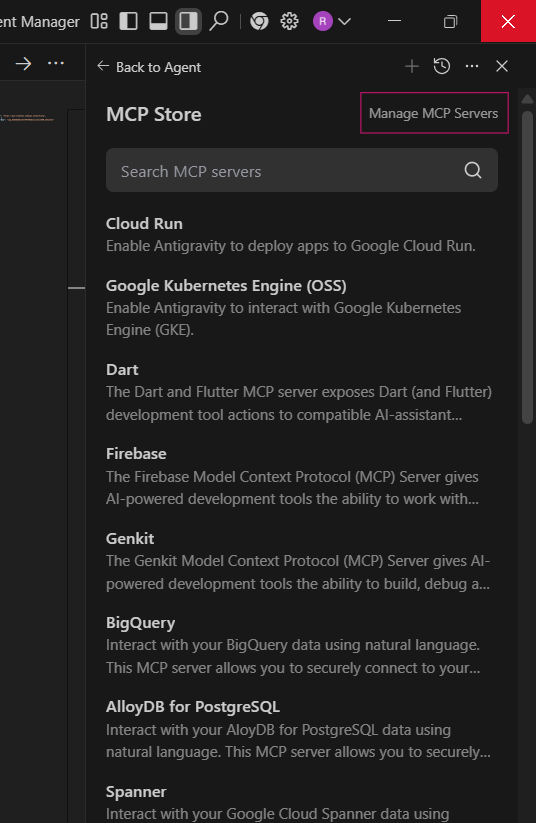
- Click on "Manage MCP Servers"
- In the menu that opens, click "View raw config"
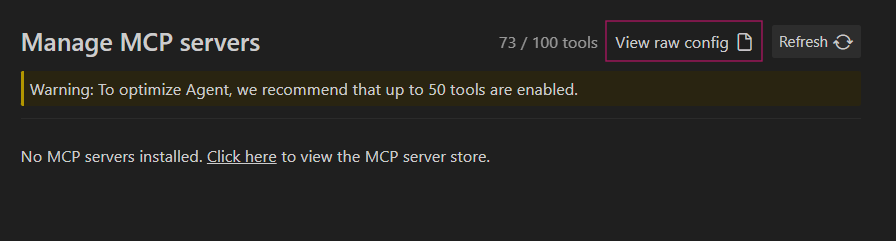
- This will open the
mcp_config.jsonfile
Step 3: Configure CreateOS MCP
Paste the following configuration into mcp_config.json, replacing CREATEOS_API_KEY with your actual API key:
JSON
Getting Your API Key:
- Log in to CreateOS
- Navigate to Profile Settings
- Copy your API key from the API Key section
Watch Tutorial →
Security Note: Keep your API key confidential and never share it publicly.
Step 4: Apply Configuration
- Save the
mcp_config.jsonfile - Restart the Antigravity application completely
Verification
After restarting, Antigravity will automatically connect to the CreateOS MCP server. You can verify the connection by asking the agent to list your CreateOS projects or perform a deployment action.
Usage
Once configured, simply tell the Antigravity agent what you want to deploy through CreateOS, and it will handle the integration automatically.