
One Click Deploy Integration
Overview
One Click Deploy lets users deploy a public GitHub repository directly from a URL in CreateOS. This removes manual setup friction and helps users launch projects quickly with AI-assisted build configuration.
You can also add a Deploy on CreateOS badge to any GitHub README so other users can launch the same project in one click.
Prerequisites
- A public GitHub repository URL
- A CreateOS account
- Basic understanding of your project framework (for URL parameters)
Setup Instructions
Step 1: Open One Click Deploy
-
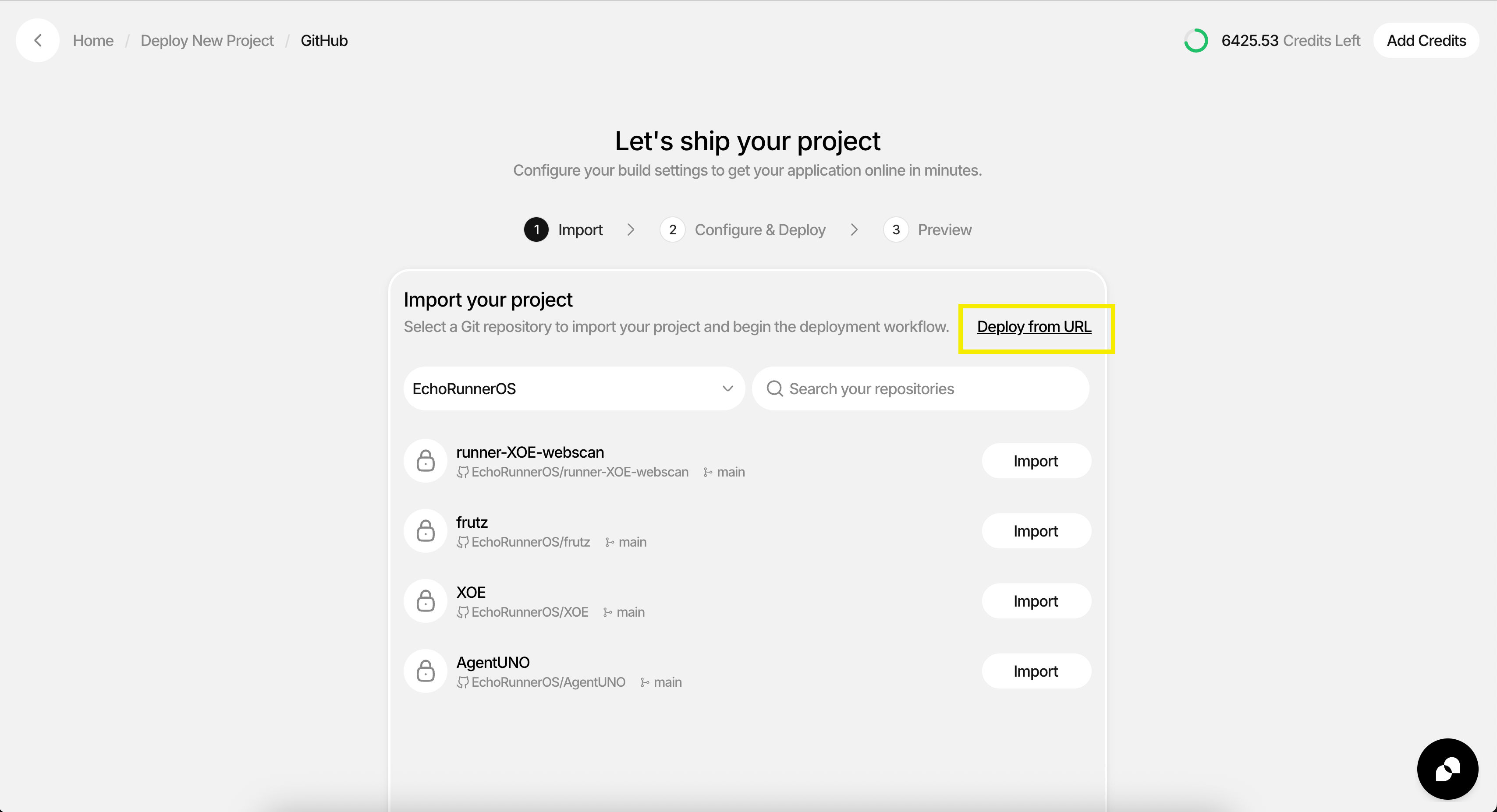
Click Deploy from URL
Step 2: Paste Repository URL
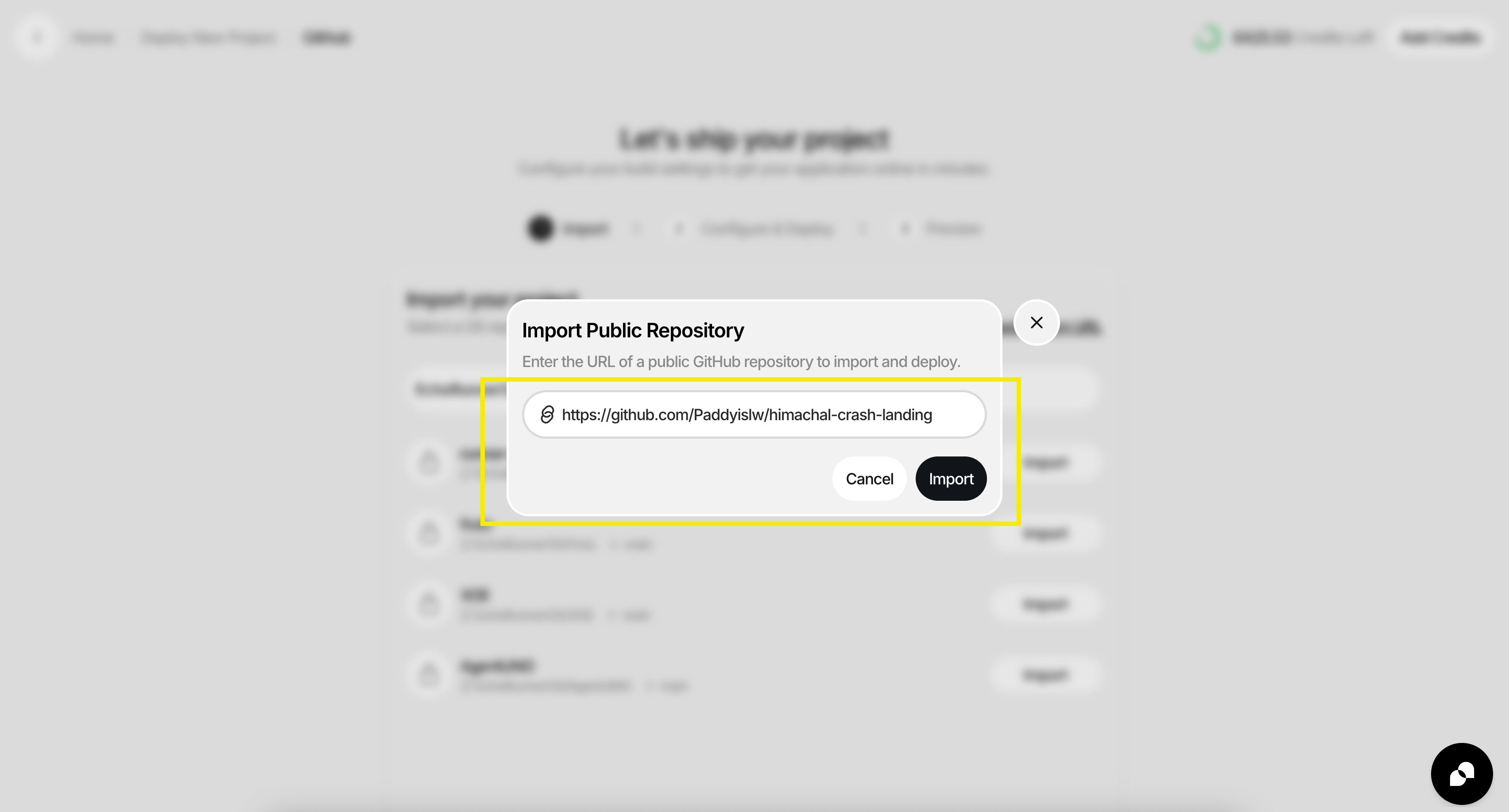
- Paste your public GitHub repository URL
- Example:
Bash
Step 3: Build with AI
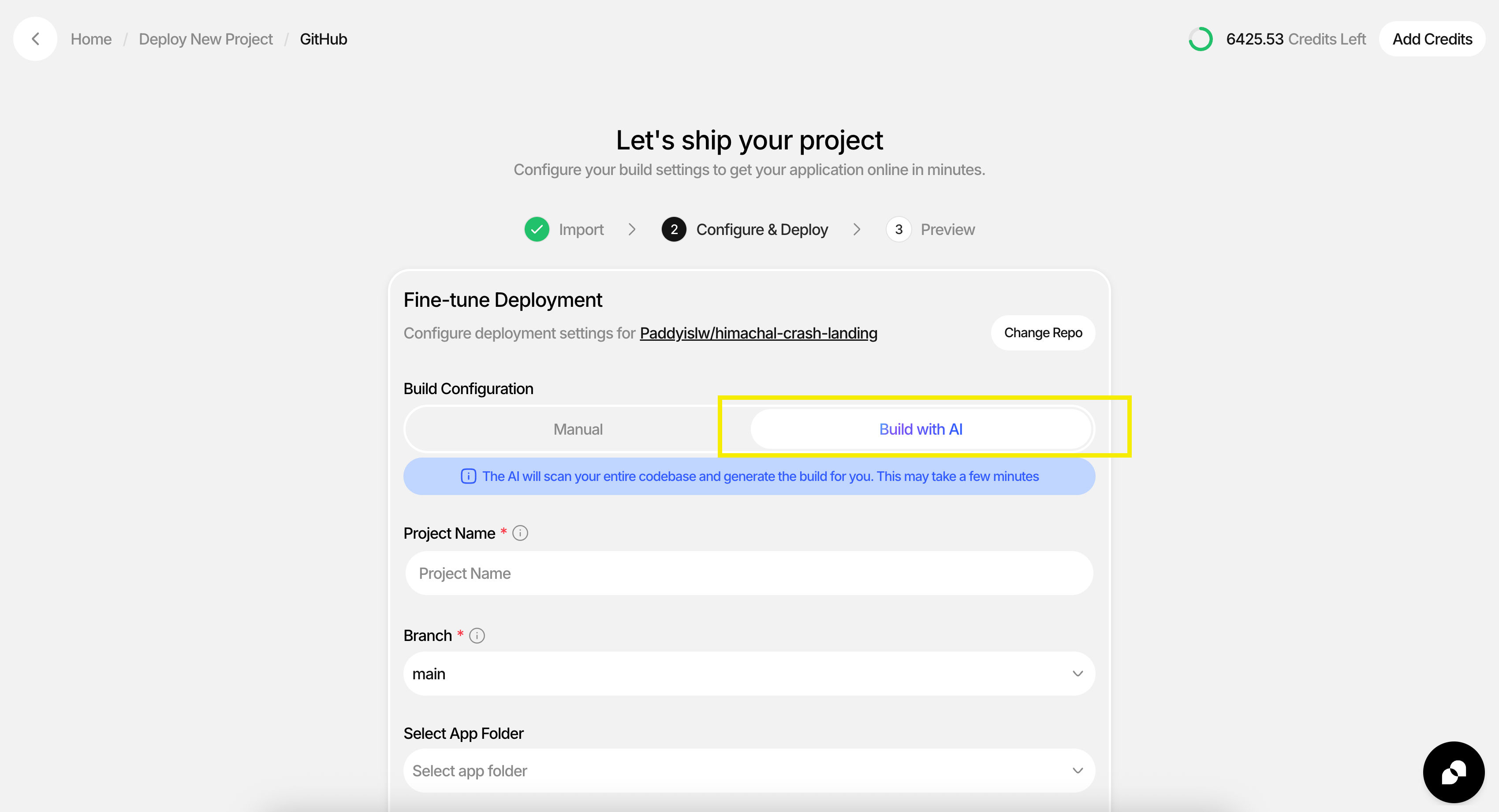
- Click Build with AI
- Wait for CreateOS to detect and prepare deployment settings
Step 4: Review Project Details
- Enter a project name
- Review detected framework and deployment settings
- Update values if needed
Step 5: Deploy Project
- Click Deploy Project
- Wait for deployment to complete
- Open the generated live URL from the deployment result page
Note: When using Build with AI, the automated detection and deployment process may take a few minutes to complete. Please be patient while CreateOS prepares your project.
Alternative Integration: Add a Deploy Button to Your GitHub README
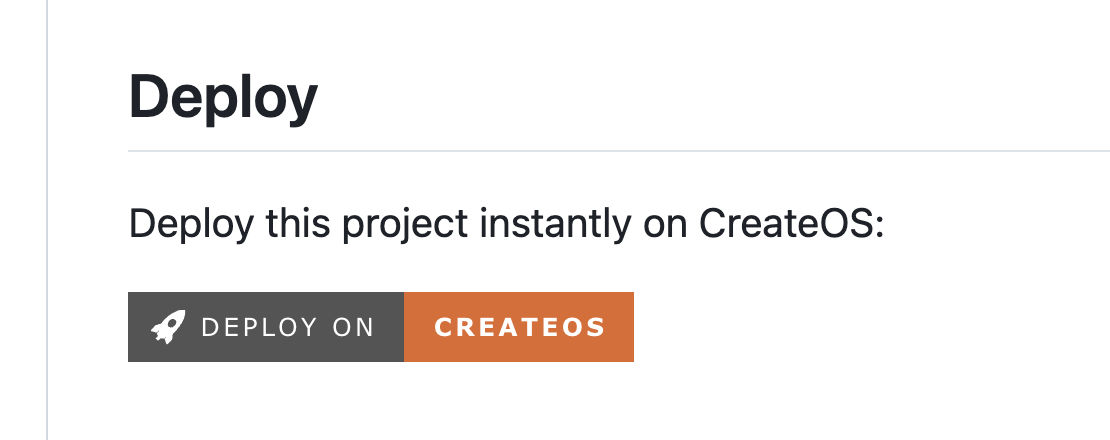
Want to make your project instantly deployable for everyone? Add a Deploy on CreateOS button to your README.md so anyone can launch it in one click.
Step 1: Add the Badge Markdown
Paste this into your repository README.md:

Step 2: Build Your Custom Deploy Link
Use this URL pattern for your own project:
Bash
Supported framework values:
vanilla-jsangular-spavite-ssrvite-spanextjsreactjs-spareactjs-ssrvue-spa
Troubleshooting
If deployment fails:
- Confirm the repository is public
- Confirm the repository URL is valid
- Confirm the selected framework matches the project
- Try rebuilding with AI again
Demo Video
Resources
- Deploy from URL: createos.nodeops.network/deploy/github
- MCP Server (GitHub): github.com/NodeOps-app/createos-mcp
- Skills (GitHub): github.com/NodeOps-app/skills