
ChatGPT Integration Guide
Overview
Integrate CreateOS with ChatGPT using the MCP (Model Context Protocol) to enable AI-powered deployment workflows directly from the ChatGPT web interface.
Prerequisites
- ChatGPT account at chatgpt.com
- CreateOS account
Setup Instructions
Step 1: Access ChatGPT Settings
- Log in to your ChatGPT account at chatgpt.com
- Click on your profile icon in the bottom left corner
- Select Settings from the list
Step 2: Enable Developer Mode
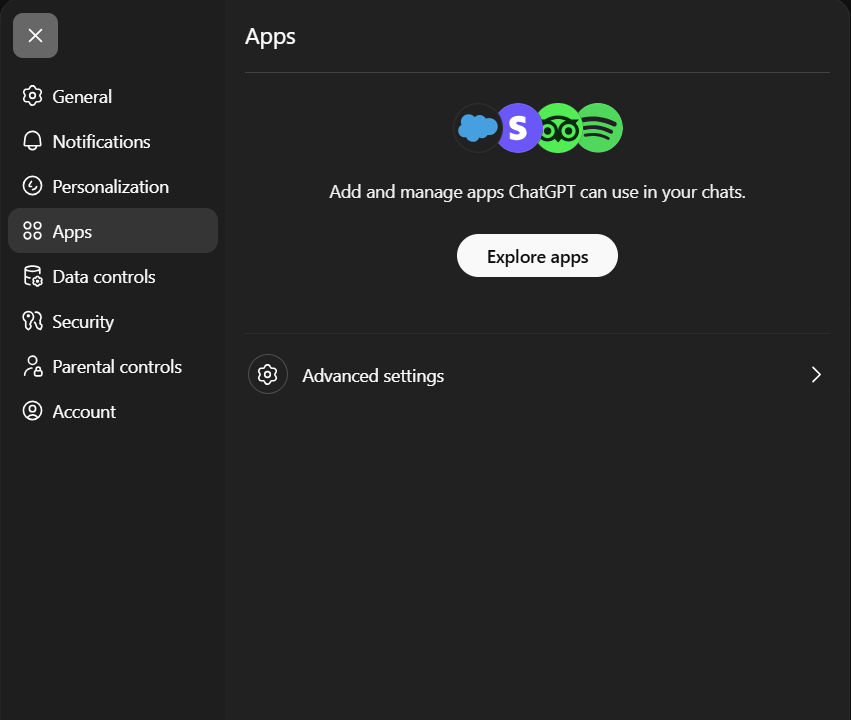
- Navigate to Apps → Advanced Settings
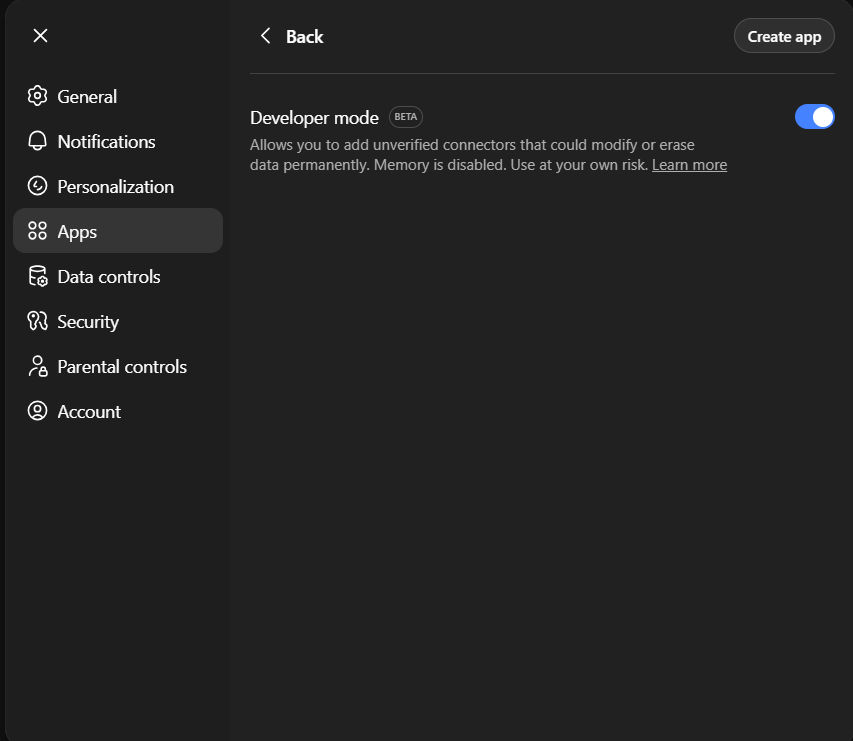
- Toggle on Developer Mode
Step 3: Create New App with MCP Configuration
- Click the Create app button (located above the enabled option)
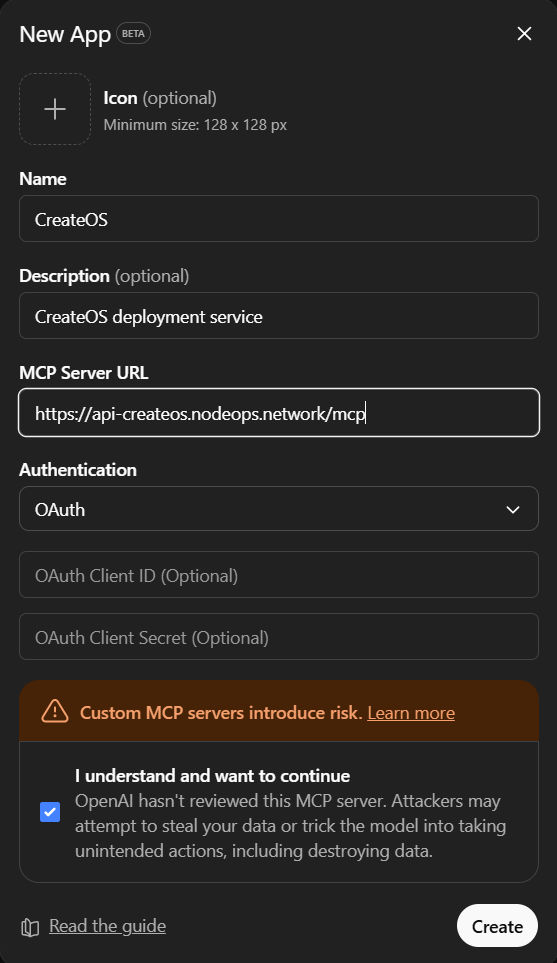
- Fill in the app details:
- Name: CreateOS (or your preferred name)
- Description: CreateOS deployment service (as you wish)
- Add the following MCP URL:
https://api-createos.nodeops.network/mcp - Set Authentication to: OAuth
- Click Create
- Log in using your CreateOS account when prompted
You're all set! Your ChatGPT instance is now connected to CreateOS via MCP.